A quick pit stop for your Mac
Pitstop
A native macOS app for developers that finds what's slowing the Mac down, from memory and disk to Wi-Fi and every git repo, and fixes most of it in a click or two. Designed, built, and shipped solo.
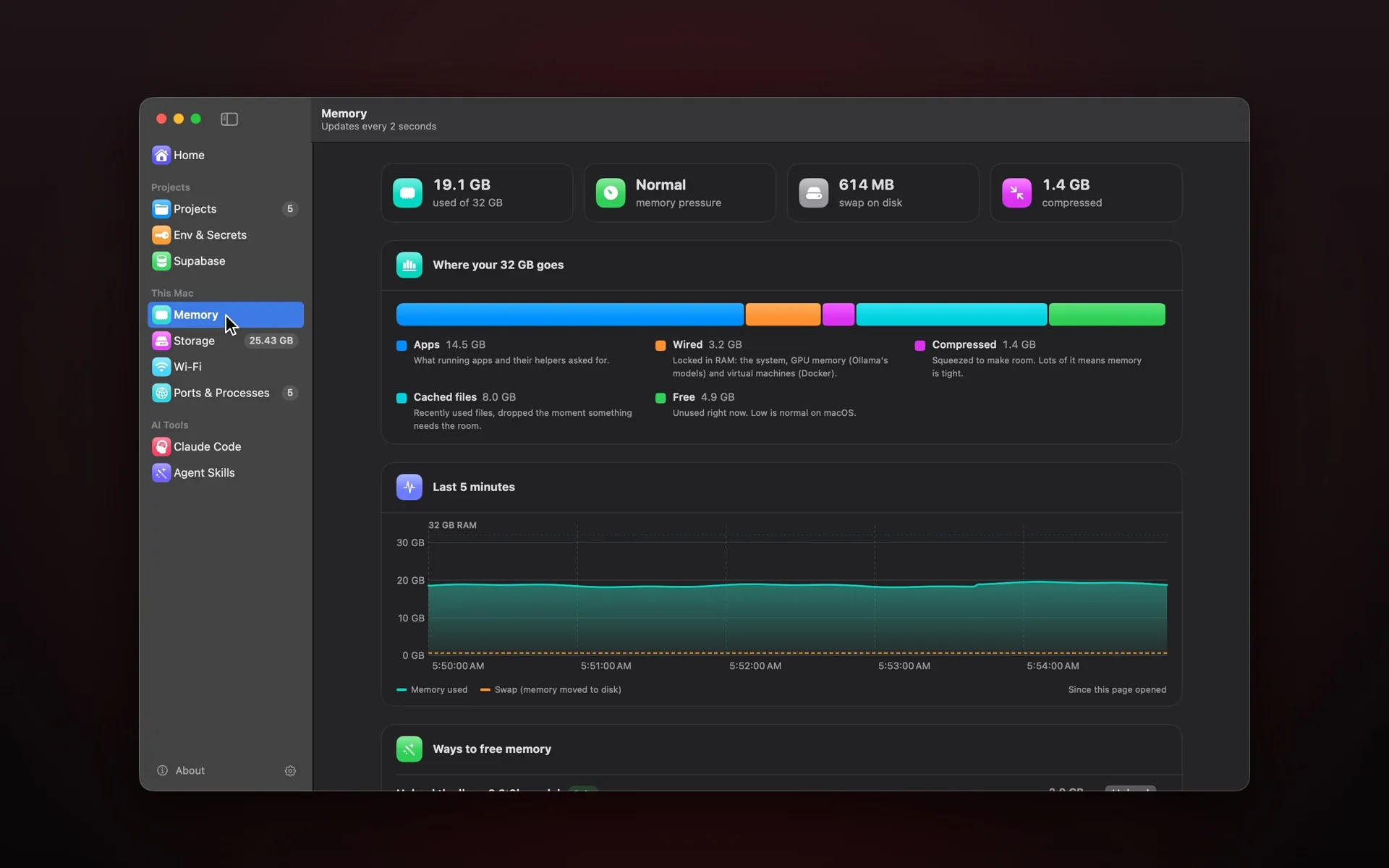
A developer's Mac collects things: dev servers left running, gigabytes of caches, simulators nobody shut down, an .env file one git add . away from a public repo, and Wi-Fi that's slow for reasons nobody can name. Pitstop checks all of it in one place, lists what needs you worst first, and fixes most of it in a click or two. I took it from idea to a signed, notarized release on my own, covering product, design, development, and the website.
What's in the app
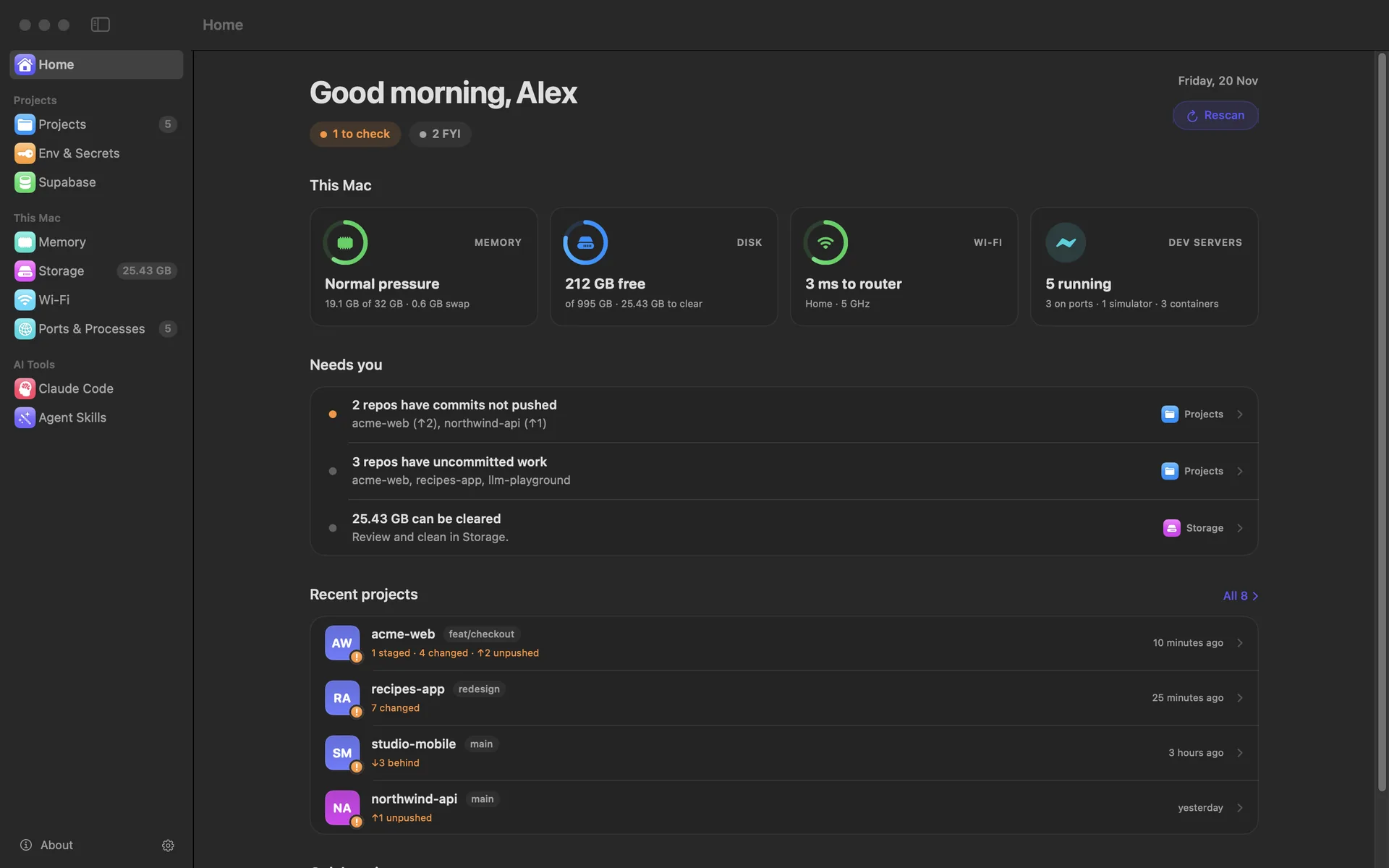
Home: everything that needs you
The first page is a summary of the whole Mac: memory pressure, free disk space, Wi-Fi latency, and what's running for development. Below it, one list of what needs attention, worst first, from a committed .env file to repos with unpushed work, each linking to the page that fixes it.
Projects and secrets
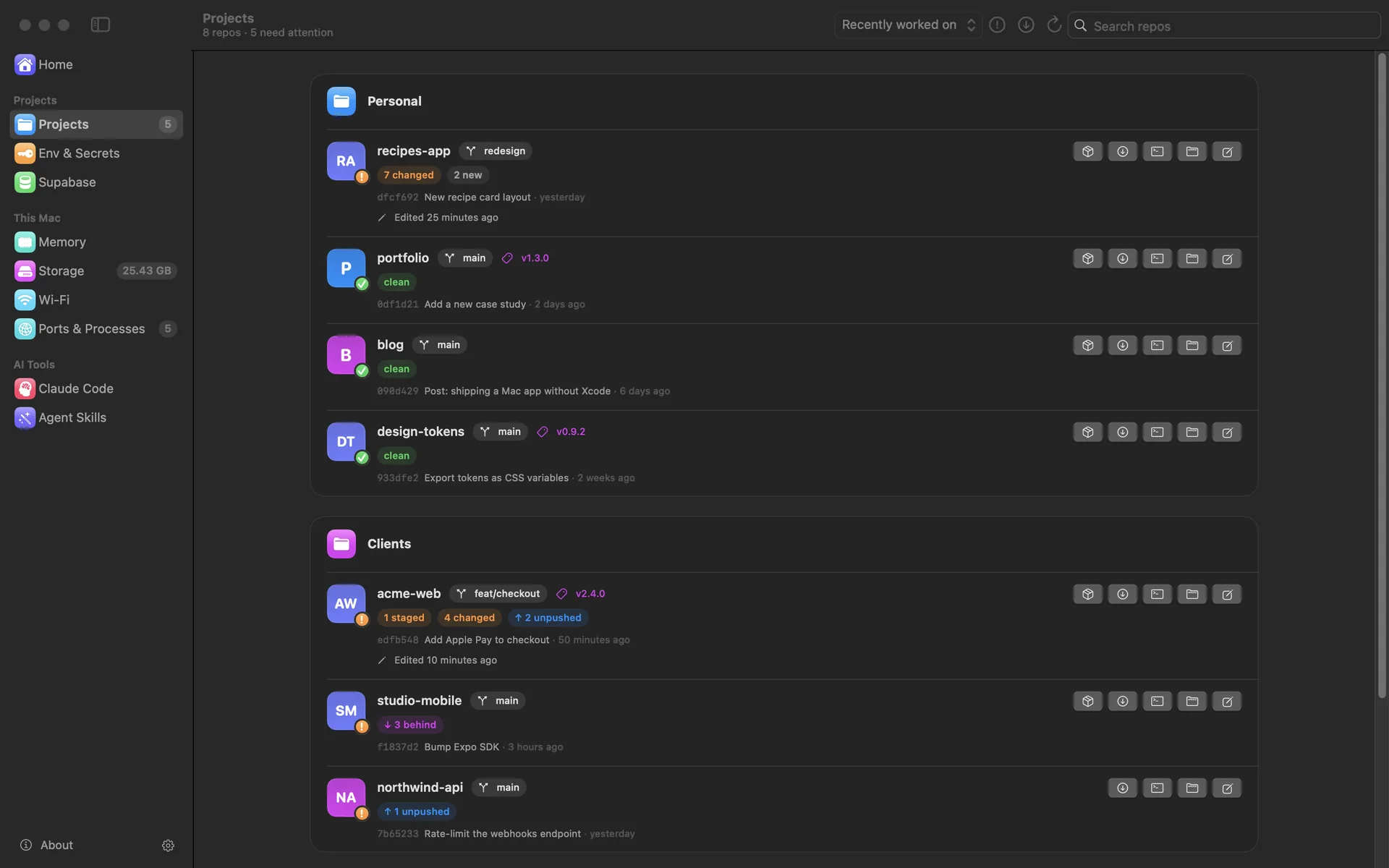
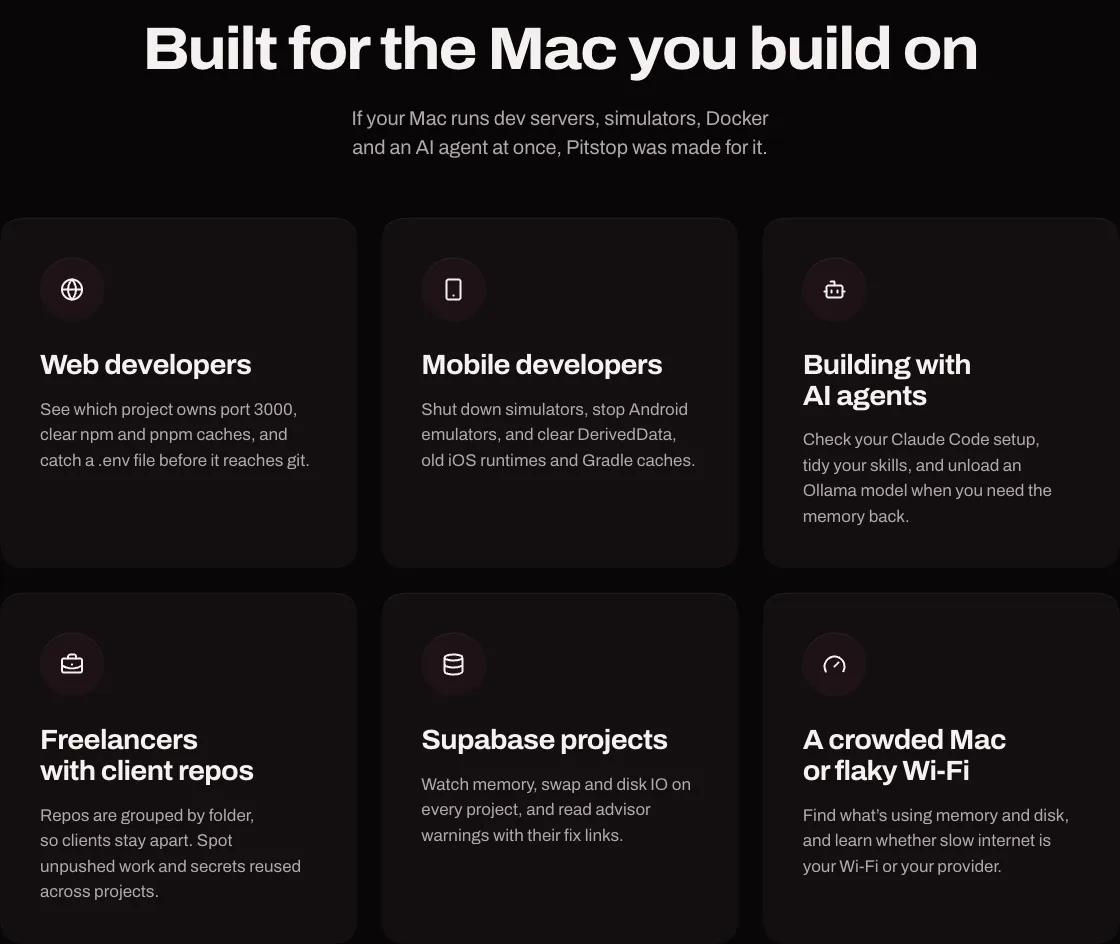
Pitstop finds every git repo in your home folder with no setup, groups them by folder, and shows each one's branch, uncommitted changes, unpushed commits, and stray junk files. Env & Secrets flags .env files committed to git or missing from .gitignore, keys missing from the example file, and secrets reused across projects, without ever showing a value.
Memory, storage, and processes
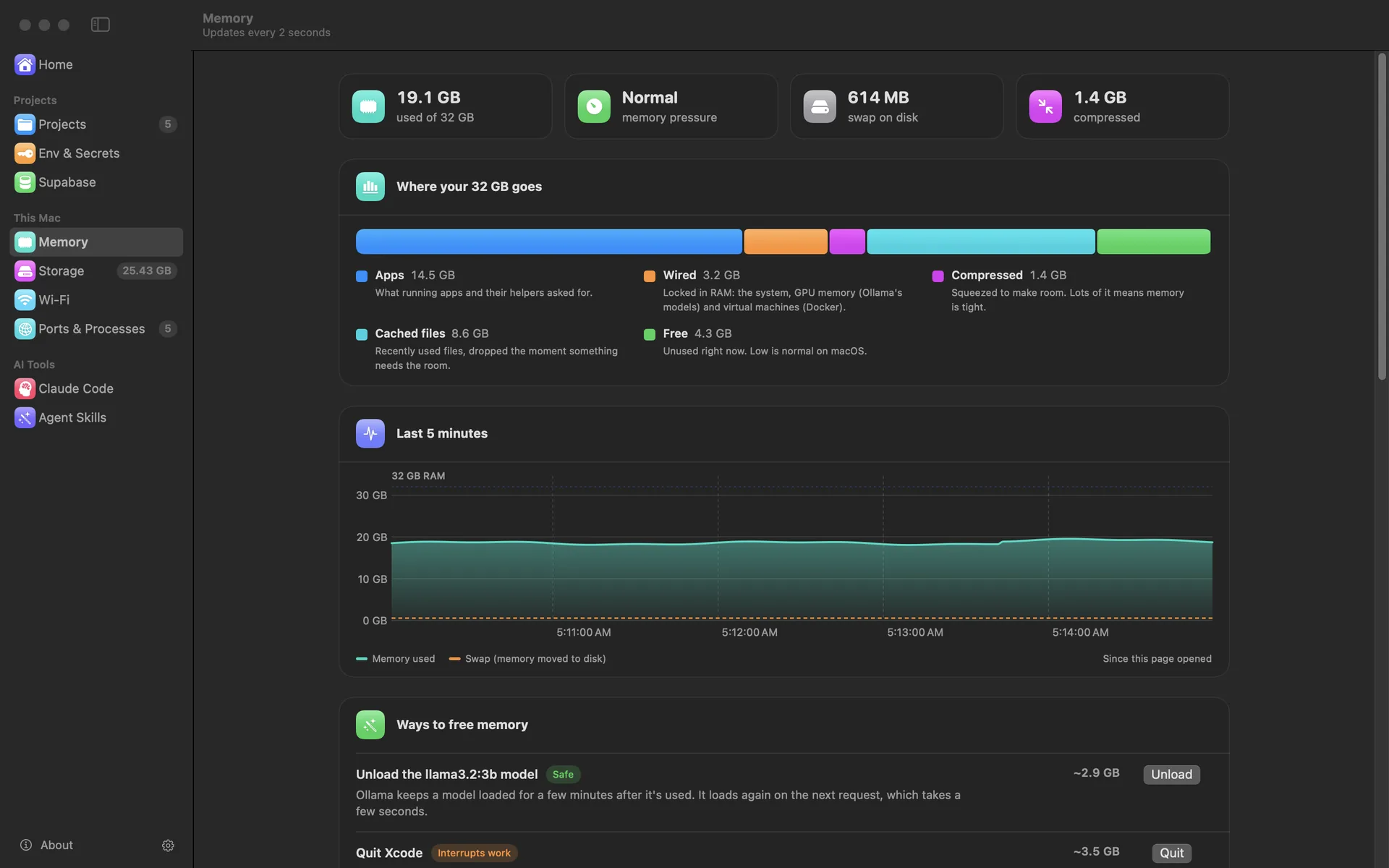
- Memory groups what's using RAM by app and offers one-click ways to free it, safest first: unload an Ollama model, quit an app, shut down simulators. Every action asks first and measures what it actually freed.
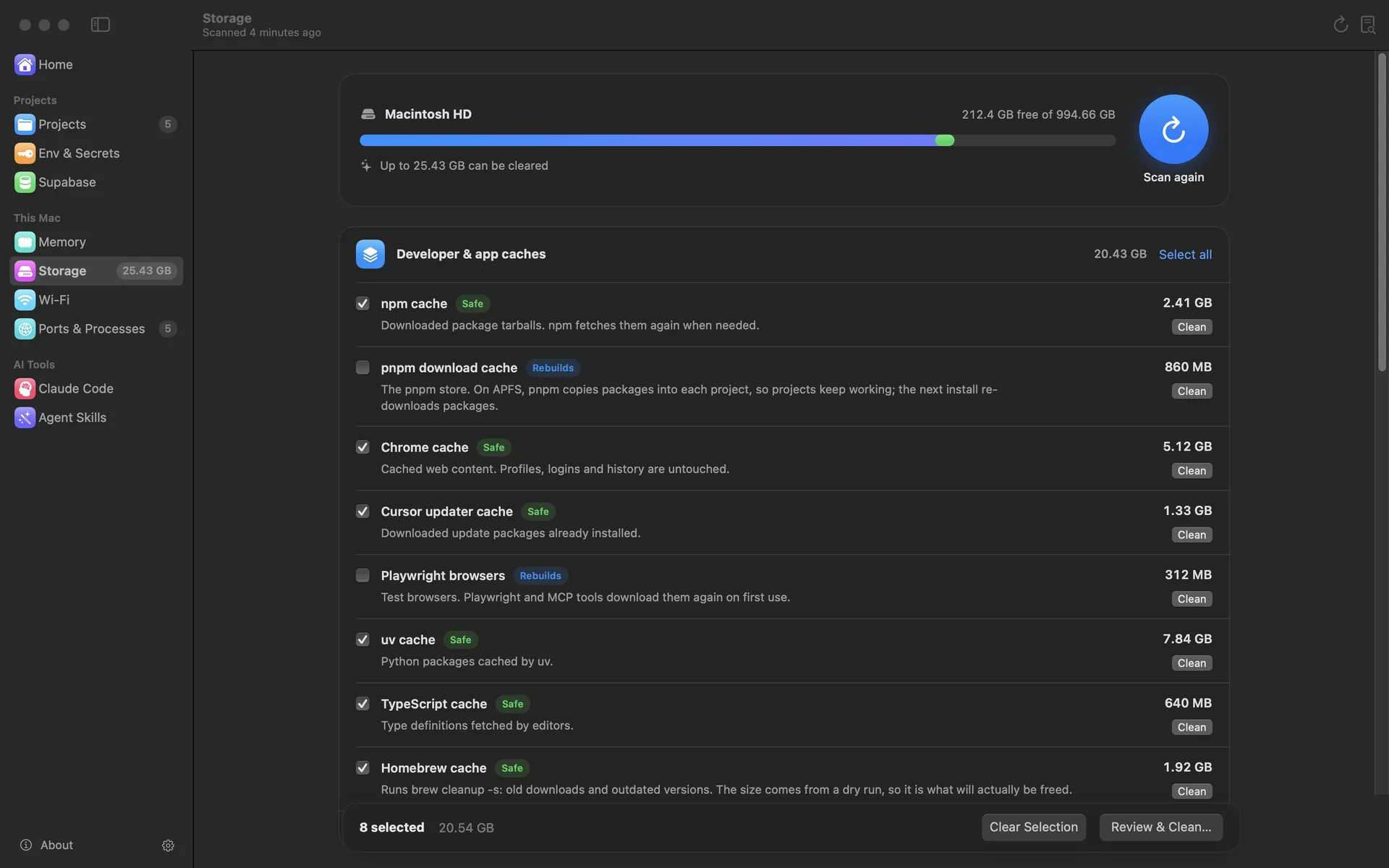
- Storage measures developer caches, old simulators and runtimes, and Docker images, marks each one Safe, Rebuilds, or Caution, and deletes nothing until you've reviewed it.
- Ports & Processes shows what's listening on which port and for which project, alongside simulators, emulators, and Docker containers, each with a Stop button.
Wi-Fi that explains itself
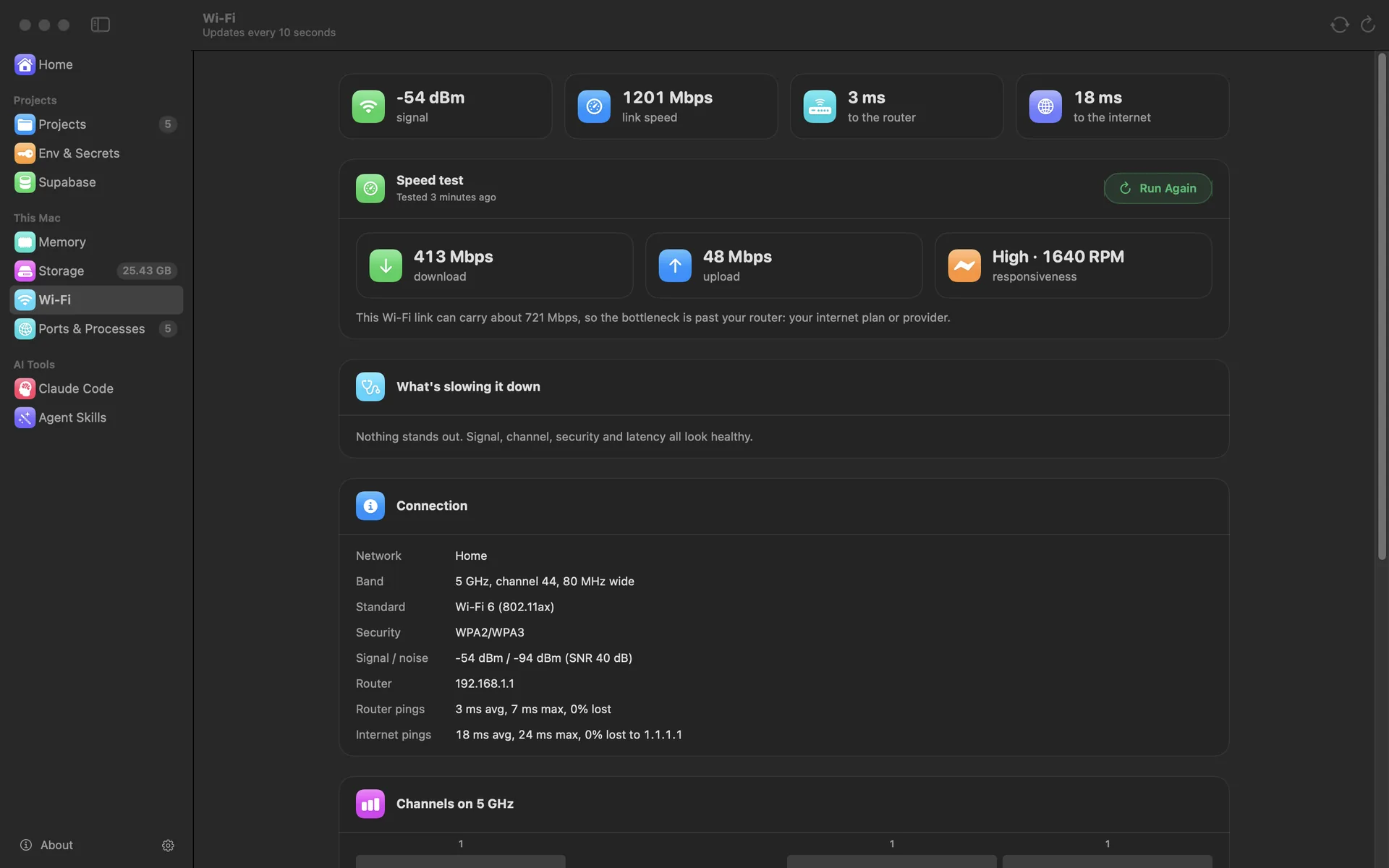
The Wi-Fi page reads signal, channel crowding, security, and latency, and turns them into plain findings. Its speed test compares your connection with what the Wi-Fi link can carry, so it can say whether the bottleneck is your router or your provider. On supported routers it changes the channel and security settings, or restarts the router, in one click.
For the AI and backend side
Pitstop checks a Claude Code setup (memory notes, CLAUDE.md files, hooks, MCP servers, and permissions) and manages agent skills. With a read-only Supabase token, it watches each project's memory, swap, disk IO, and advisor warnings.
Widgets and the menu bar
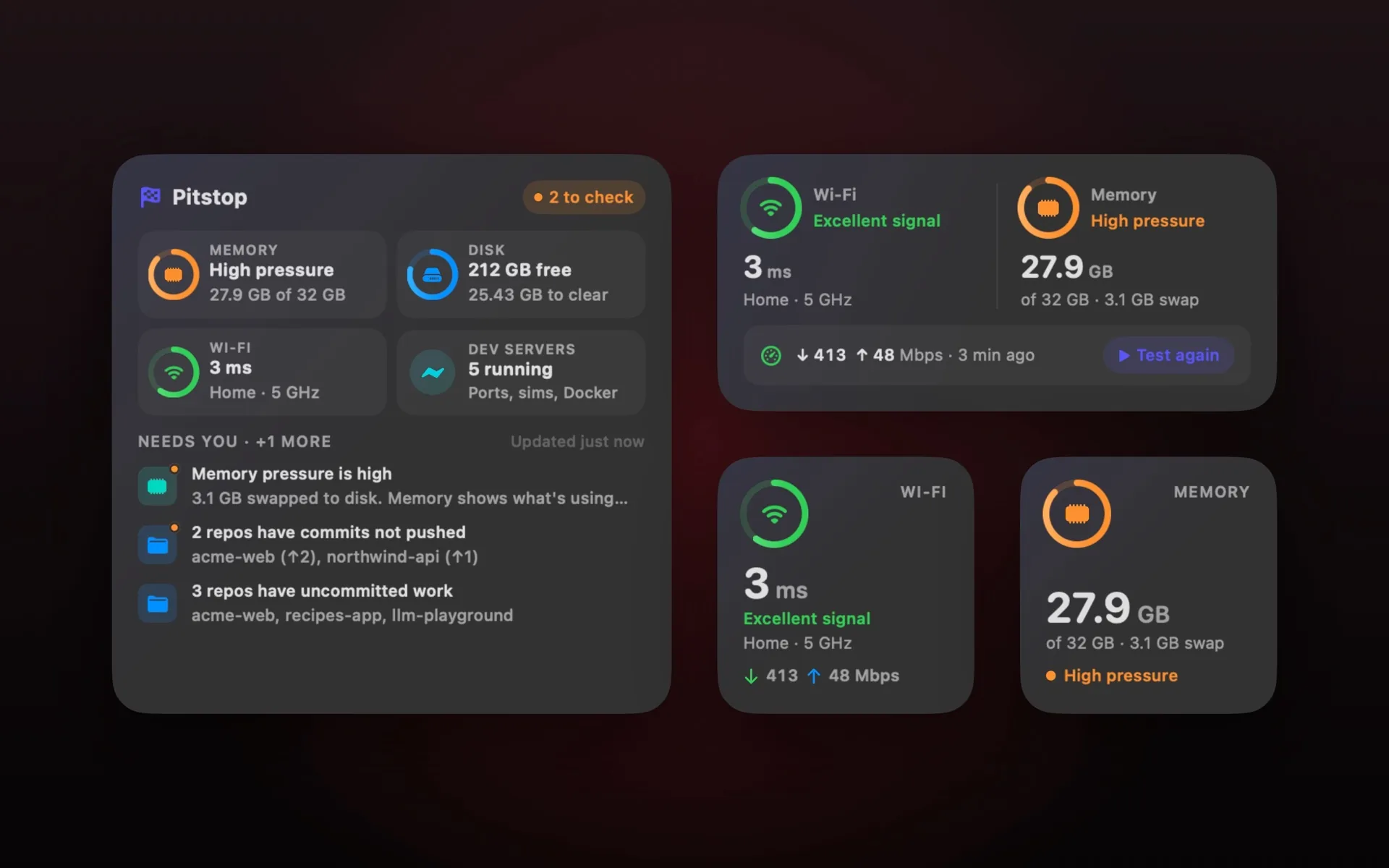
Four desktop widgets show Wi-Fi, memory, and the whole Mac's health at a glance. The menu bar shows free space and what's running, cleans safe items in two clicks, and a weekly scan sends a notification when there's enough to clear.
Screenshots
See it in action
The website
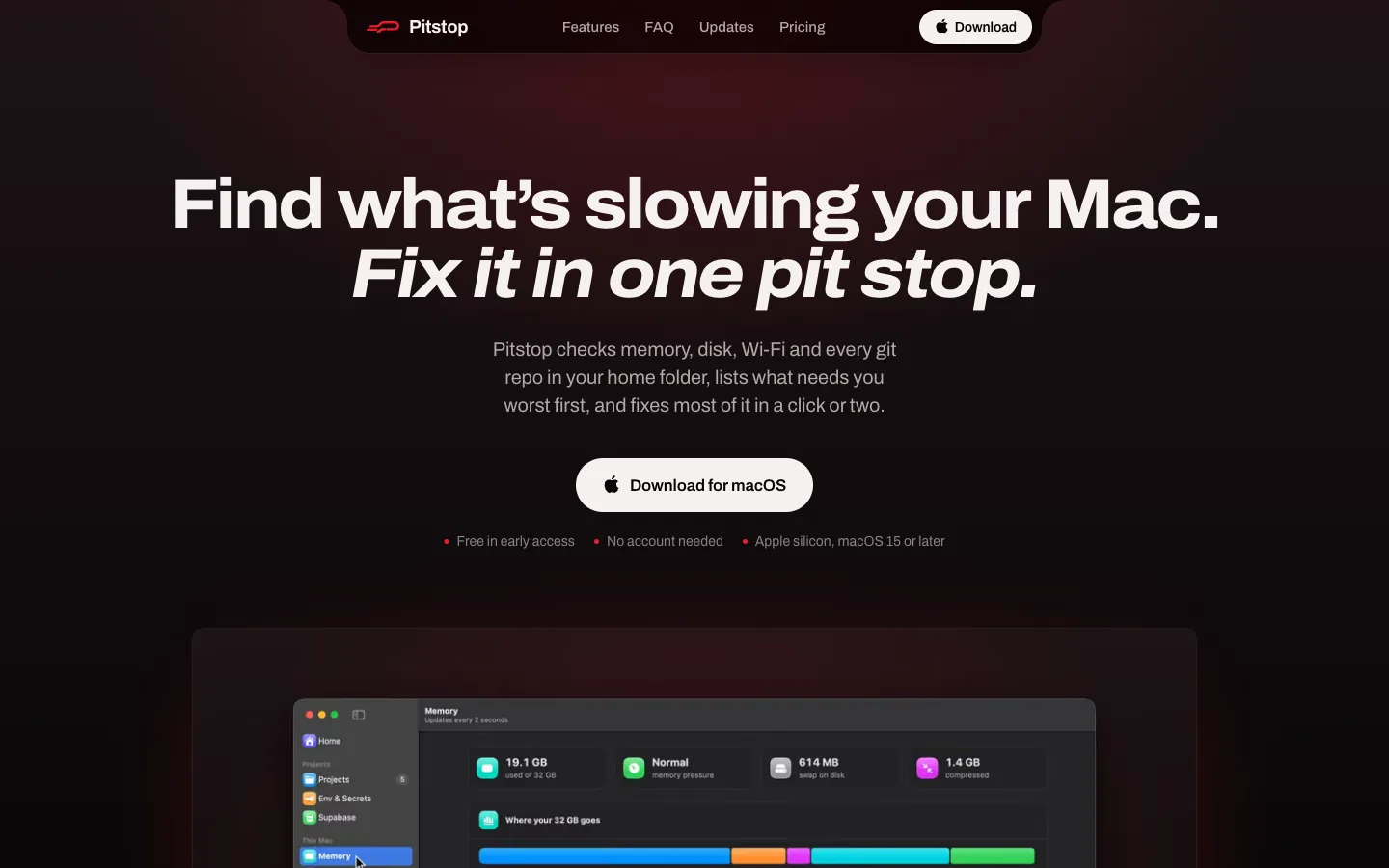
I also built pitstop.alishour.dev, the landing page and download site, in Next.js on Vercel. It carries the app's screenshots and short looping clips of each feature, and serves every release and the in-app update feed from the same domain.
How it's built
- Native and fast. Pitstop is SwiftUI on Swift 6, built for Apple silicon. The logic that reads the Mac lives in its own module with over a hundred tests against fake home folders, so nothing is tested on a real disk.
- Safe by default. Pages only read until you act. Anything that deletes, quits, or stops asks first, explains what it will do, and reports what it actually changed.
- Widgets without a full Xcode project. The widget extension is built with Swift Package Manager alongside the app. Because widgets are sandboxed, the app measures and shares a snapshot with them through an App Group, and asks WidgetKit to redraw when something changes.
- Shipped like a real Mac app. One command builds the app, signs it with a Developer ID, has Apple notarize it, and packages a notarized DMG. Updates arrive through Sparkle with signed releases, so installed copies only accept updates I've signed.
- Marketing assets without personal data. A demo mode fills every page with made-up data and blocks every real action, then scripted tours record the website's videos of the app's own window. No real repo, network, or file can appear in a screenshot.
Where it is now
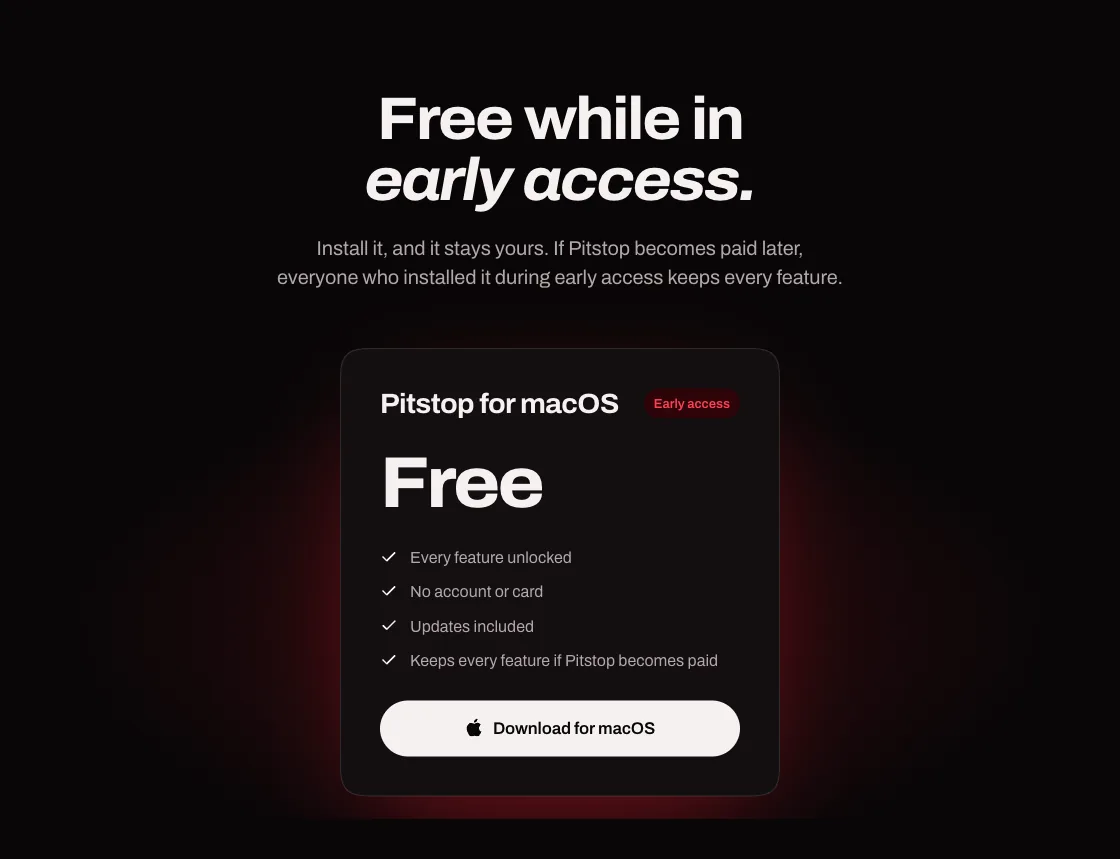
Pitstop 1.0 is out and free while in early access, for Macs with Apple silicon on macOS 15 or later. Download it from pitstop.alishour.dev.